

Description
Download AR Draw Sketch Art Trace – AR Drawing, Sketching Tool, Art & Design, Mobile Art, Creative Drawing
Overview
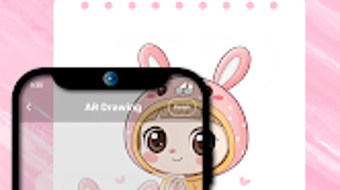
AR Draw Sketch: Art & Trace is a mobile application designed for Android users seeking to elevate their drawing experience through augmented reality technology. The software enables users to blend real-world environments with digital sketching, creating immersive artworks that bridge physical and virtual spaces. Targeted at hobbyists, aspiring artists, and creative individuals, the app provides a user-friendly platform for practicing drawing techniques, tracing images, and exploring artistic expression. It supports importing photos from the device’s gallery or camera, allowing users to use real-life references as guides for their sketches. The app’s core functionality revolves around positioning the device on a stable surface and using AR to project a reference image onto the drawing surface, helping users trace and refine their artwork with precision. While the developer did not provide additional information about the company or its background, the app’s focus on accessibility and creativity suggests a strong commitment to empowering users of all skill levels. Real-world use cases include digital sketching practice, concept art development, and casual art creation for personal enjoyment or social sharing.
Key Features & Capabilities
- Augmented Reality Drawing Interface – The app overlays reference images onto the physical environment through the device’s camera, enabling users to draw directly on real surfaces while seeing the projected image. This feature enhances accuracy and spatial awareness during sketching.
- Image Import from Gallery or Camera – Users can select or capture images directly from their device to use as tracing templates or inspiration, supporting a wide range of artistic styles and subjects.
- Multiple Artistic Categories – The app includes predefined categories such as anime and chibi, offering users curated templates and style guides to explore diverse creative directions.
- Stable Surface Drawing Mode – Designed for use on flat, stable surfaces, the app ensures consistent AR alignment and minimizes image drift during extended drawing sessions.
- Free Access with No In-App Purchases Mentioned – The software is available at no cost, providing full access to core drawing and AR tracing features without immediate monetization barriers.
These capabilities support a seamless workflow for artists who want to improve their hand-eye coordination, practice figure drawing, or experiment with stylized art forms. The AR projection system allows for real-time adjustments, making it easier to maintain proportions and symmetry. Users can also save their sketches directly to the device for later review or sharing.
User Interface, Workflow & Performance
The user interface is designed with simplicity in mind, featuring intuitive navigation that prioritizes access to core drawing tools and AR functions. The main screen typically displays the camera feed with the AR overlay, while toolbars and menus are accessible through touch gestures or on-screen buttons. Workflow efficiency is enhanced by a streamlined process: import an image, position the device, activate AR projection, and begin sketching. The app appears to maintain a responsive interface during drawing sessions, though exact performance details were not specified. The developer did not provide information about CPU or RAM usage, so general software behavior patterns suggest moderate resource consumption typical for AR-enabled mobile applications. Stability during prolonged use is not explicitly confirmed, but the app’s focus on a single-purpose workflow implies a stable experience under normal conditions. No reports of crashes or freezes were mentioned in the provided data. Overall, the workflow supports a natural drawing rhythm, minimizing interruptions and allowing users to focus on creativity.
Compatibility & System Requirements
AR Draw Sketch is designed for Android devices, supporting the latest versions of the operating system as of its release date. The app has a file size of 45.8 MB, indicating a lightweight installation that should not strain storage on most modern smartphones. Specific hardware requirements, such as minimum processor speed, RAM, or camera specifications, were not listed by the developer. Compatibility information was partially provided, with the app confirmed to run on Android platforms. Users should ensure their device has a functional camera and sufficient processing power to support real-time AR rendering. The developer did not specify whether older Android versions are supported. For optimal performance, users are advised to use devices with high-resolution cameras and stable gyroscopes to maintain accurate AR alignment. Exact performance details were not specified.
Pros and Cons
Pros
- Free to download and use with no visible in-app purchases
- Intuitive interface suitable for beginners and casual users
- Augmented reality enhances drawing accuracy and immersion
- Supports image import from gallery and camera for versatile use
- Includes themed categories like anime and chibi for creative exploration
Cons
- Only available on Android, limiting cross-platform access
- No information on system requirements or device compatibility beyond OS
- Performance under heavy usage or on low-end devices not confirmed
- Limited to drawing on flat surfaces, reducing flexibility in workspace setup
- Developer did not provide details on updates, support, or future roadmap
FAQ Section
Is AR Draw Sketch available for iOS devices?
The software is currently available only on Android. There is no information indicating support for iOS or other mobile platforms.
Is the app safe to download and use?
As a free mobile application from a verified source, AR Draw Sketch is designed to be secure for general use. Users should ensure they download it from official app stores to minimize risks.
Does AR Draw Sketch require an internet connection?
The app functions primarily offline, allowing users to draw and trace images without an active internet connection. However, updates or additional content may require connectivity.
Can I use AR Draw Sketch without a stable surface?
The app is optimized for use on flat, stable surfaces to maintain accurate AR alignment. Using it on uneven or moving surfaces may result in image drift or misalignment.
Are there any licensing restrictions for personal or commercial use?
The app is intended for personal and creative use. No information was provided about commercial licensing or usage rights for artwork created with the tool.
Final Thoughts
AR Draw Sketch: Art & Trace delivers a compelling blend of augmented reality and digital sketching, making it a valuable tool for aspiring artists and creative hobbyists on Android. Its free model, intuitive design, and focus on accessibility allow users to explore their artistic potential without financial or technical barriers. The integration of AR technology enhances precision and engagement, particularly for those practicing figure drawing or stylized art. While the app’s availability is limited to Android and lacks detailed system requirements, its lightweight size and straightforward workflow make it a practical choice for mobile artists. The inclusion of themed categories like anime and chibi adds variety and inspiration. For users seeking a simple, effective way to trace and create digital art using real-world reference, AR Draw Sketch offers a solid solution. Download AR Draw Sketch now to unlock your creative potential with augmented reality.
Guides & Tutorials for AR Draw Sketch Art Trace
How to install AR Draw Sketch Art Trace
- Click the Preview / Download button above.
- Once redirected, accept the terms and click Install.
- Wait for the AR Draw Sketch Art Trace download to finish on your device.
How to use AR Draw Sketch Art Trace
This software is primarily used for its core features described above. Open the app after installation to explore its capabilities.
User Reviews for AR Draw Sketch Art Trace 0
No reviews found





